ALBUM 01
Album is a series of firmwares for the M-VAVE FM-1, one per record. Each edition is a few deep sounds and the photographs they came from, and each sound moves its photo as you play. Edition 01 follows one record: chords bent while they ring (glide guitar), heard mostly through a reverse reverb.
1Install
Try it first in the browser emulator: the same code, with sound. To install, open the install page in Chrome or Edge with the FM-1 connected by USB. The installer saves a backup first and can put M-VAVE's firmware back.
If Album won't start or the install page can't reach it, hold REC while switching the FM-1 on. With m-bootloader installed (the install page offers it), that is m-bootloader's update mode, and the install page installs from there. Without it, it is the chip's own update mode: a rescue tool puts M-VAVE's firmware back from there, then install again.
2Playing
The keys play. PRESET (the big knob) picks the patch, and with it the photo. The screen is the photo; a patch's name shows at the top for a moment when you choose it, and a knob's value shows at the bottom while you turn it.
| Control | What it does |
|---|---|
| Keys | Play: a note each, or a chord each in chord mode. Velocity counts. |
| PRESET | The next or previous patch (and its photo) |
| K1 to K4 | Glide, Swell, Tone, Blur; or, after a tap of EDIT, the four effects |
| ARP | How the keys play, one press each: CHORDS (from the start), ACCORDION, NOTES (section 5). Held, then a key: that key's note becomes the key |
| SELECT | Chord mode's key, a semitone a click |
| ALGORITHM | Fuzz, the fifth knob (section 3) |
| FX | The fuzz in or out (lit while in), its setting kept. Held: K1, K2 and K3 are the fuzz's low, mid and high |
| SEL | The split: the keys from F4 up an octave higher, then two octaves, then off (lit while on). Held, then a key: the split starts at that key |
| ENV | FILL: a drum fill to the end of the bar; held, it keeps going (lit while it plays) |
| LFO | The beat: SPARSE, AS WRITTEN, BUSY (lit unless as written) |
| GLO | The auto bass on or off (lit while on) |
| SEQ | The patch's beat on or off (blinks with it). Held: ALGORITHM sets the tempo, SELECT the beat's level |
| EDIT | A tap: K1 to K4 turn to the four effects, JET, ECHO, DRIVE and CHORUS (section 3), and EDIT lights; another tap, back to Glide, Swell, Tone and Blur. Held: K1 to K4 are the effects whichever way it is, SELECT sets the MIDI channel (section 8), OCT+ and OCT- set the most voices, and the top of the screen shows how hard the FM-1 is working (section 9) |
| PLAY | The chord loop: stop it, or start it again from its first bar (lit green while it plays). While recording: close the loop (section 5) |
| OCT- / OCT+ | The octave, two down to two up |
| HOME | This patch's knobs, its effects and its tempo back where it starts |
| SAVE | Keep everything (lit when something changed): section 7 |
| REC | Record a chord loop (section 5) |
| MASTER | Volume |
The split. Tap SEL to play low with the left hand and high with the right: the keys from F4 up sound an octave higher, and SEL lights. Tap again for two octaves, and again for off. To move the split, hold SEL and press the key the upper side should start on: the screen says SPLIT AT and the note. It works in every mode, so the left hand can hold a low chord while the right plays a high line. With OCT- as well, the left side goes really low. SAVE keeps the split. A note keeps its pitch until you let go of it, even if you change the split while holding it.
The battery. The top right corner shows the battery's charge: an outline filled to it, and the percentage. It turns red at 15 % and under. At 15 % the screen says BATTERY LOW, and at 5 % BATTERY 5%, CHARGE IT. With two cores on, at 15 % Album goes to one core for the rest of that session and says ONE CORE, BATTERY LOW (section 9). With a USB cable in, it says USB instead, because the cell reads high while it charges. The percentage is worked out from the cell's voltage, so it reads a few percent low while you play, and it moves only every few seconds. It hides while a message is on the screen.
3The five knobs
Every patch has the same five knobs: K1 to K4, and ALGORITHM for the fuzz. Each moves the sound and the photo together, and each patch keeps its own settings.
| Knob | The sound | The photo |
|---|---|---|
| K1 Glide | How far the pitch wanders: the whole chord bent down and let back up, as a guitar's tremolo arm does, and each string drifting on its own | The rows waver sideways while a note sounds |
| K2 Swell | The reverse reverb's length: a quick lift to a slow rise over a second and a half | The red light swells |
| K3 Tone | Dark to bright, the reverb too | Darker to brighter |
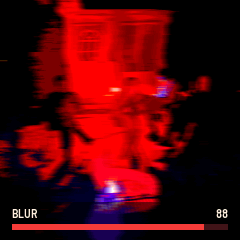
| K4 Blur | How much of the sound is the reverb, and how smeared: clear to all wash | A sideways smear |
| ALGORITHM Fuzz | A fuzz pedal on the whole chord at once, so its notes grind together, before the tremolo and the reverb. Clean to all fuzz; the lows stay clean beside it, and Tone opens it up. FX takes it out and puts it back. Hold FX and turn K1, K2, K3 for its own EQ: low (under 250 Hz), mid, high (above 2.5 kHz), each from 12 dB down to 12 dB up; turning the high down also darkens the fuzz's tone, as a pedal's tone knob does | The colours burn: more contrast, more colour |
The warm light in each photo (a fire, the sun, a lamp) flickers with the sound's level.
The four effects. Tap EDIT and turn K1 to K4: EDIT lights while they are the effects, and another tap turns them back to Glide, Swell, Tone and Blur. Holding EDIT and turning works too, and leaves the knobs as they were when you let go. They go on the whole sound, and each patch keeps its own; most start off.
| Knob | The sound | The photo |
|---|---|---|
| EDIT + K1 Jet | A flanger over everything, the beat too, sweeping slowly down and back up as a jet plane passes over, about every 12 seconds. Off to a deep swirl | The colors swirl round the color wheel with the sweep |
| EDIT + K2 Echo | A dark tape echo in time with the tempo, a dotted eighth apart. Each repeat is darker and thinner than the one before and wavers a little, as tape does; the right side comes back a moment after the left. Off to long and loud | Each row trails fainter copies of itself |
| EDIT + K3 Drive | A valve amp turned up, after the fuzz pedal and before the reverb, as a guitar's chord goes: it leans one way, as a valve does, and the more it drives the warmer the cabinet makes it, so it never fizzes. The level stays about where it was | The light warms, toward amber |
| EDIT + K4 Chorus | Two players a hair apart: the sound read back a few milliseconds late, the delay sweeping about every two seconds, the right side opposite the left. Not the beat | Red and blue drift apart and back with the sweep |
4The patches
Each patch has its own photo, and its sound comes from that photo.
| # | Patch | From the photo | Sound |
|---|---|---|---|
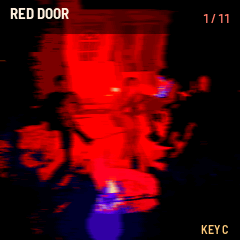
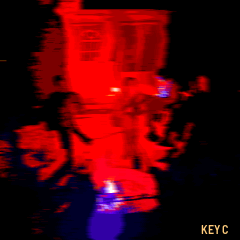
| 1 | RED DOOR | A fire pit at night, washed red | The main glide chord bed: three detuned saws bent all the time, mostly reverse reverb |
| 2 | MAPLE | The sun through a red maple leaf | A soft reed organ that sways slowly, warm on tape |
| 3 | DAHLIA | Pink dahlias in full sun | Bright fuzz chords bent hard, the wash behind them |
| 4 | FLAME | A flame of lights in a red room at night | A low chord chopped by a tremolo in time with the tempo: sixteenths on the left, triplets on the right |
| 5 | CLEMATIS | A bush of small white flowers | A breathy pad, half tone and half air; each note a cloud |
| 6 | WHIRL | A room swung past the camera | A wide chord bent deep and fast, carried from side to side, almost all reverb |
| 7 | WINDOW | A dark room, rain on the glass, a tree lit outside | A soft electric piano rocking side to side, rain ticking on the pane |
| 8 | PASTURE | Horses under a big sky | Open fifths, slow and wide, a little wind; it hardly bends |
| 9 | BLUESTEM | Tall prairie grass, blue sage, a moth | One note at a time: a thin reed whistle, like a blade of grass blown between the thumbs |
| 10 | SNOWFALL | A back yard at night, snow coming down | Soft, hollow glass notes, muffled, each sinking into a long hush |
| 11 | TOWER | A tower block lit gold by the last sun | A tall chord, octaves stacked, that starts dark and glows open after each note |
| 12 | LATE BLOOM | One pink dahlia still open in October, the leaves fallen on the brick | A soft bell that opens after each note, the echo up so its repeats fall away like the leaves |
5Chord mode
Chord mode is on from the start: each key plays a whole chord. ARP turns it off for single notes, and on again. The chords come from My Bloody Valentine's records. Kevin Shields has said the progressions are "quite basic"; what makes them sound like his is the open tunings, which "leave a lot of room for odd variations of a basic chord", with open strings that "clash against the others in interesting ways" (Guitar World, March 1992). So the chords here are simple ones made strange: suspended, with added ninths and sixths, fifths without thirds, slash chords over a held bass note.
Every key plays something, the black keys too. In the key of C:
| Key | Chord | |
|---|---|---|
| C | C | I, home |
| C# | Db | the flat second, a darker turn |
| D | Dm | ii |
| D# | Eb | the flat third |
| E | Em | iii |
| F | F | IV |
| F# | D/F# | the major second, over its third |
| G | G (Gsus4 on some patches) | V |
| G# | Ab | the flat sixth |
| A | Am | vi |
| A# | Bb | the flat seventh |
| B | G/B | V over its third, in place of a diminished chord |
The flat seventh, flat sixth, flat third and major second are all on Only Tomorrow.
On the screen. The chord you play is spelled out over the photo: D major reads D - D F# A, its name, then its notes from the root up through the third, fifth, seventh and on. Each note has its own colour, the same wherever it appears (D is always yellow, A always violet), so a change of chord shows as a change of colours. On FLAME's red room the letters turn to shades of red instead, dark to pale by the same order.
Accordion. Press ARP once more and the black keys hold chords while the white keys play a tune over them, as on an accordion. The black keys play the key's five most used chords: C# the I chord, D# the ii, F# the IV, G# the V, A# the vi (in C: C, Dm, F, G, Am), a little softer than the tune. Each row of black keys voices them its own way: the bottom row (F#3 to A#3) open and low, root, fifth and octave with the third on top, as a guitar's open shapes; the middle row (C#4 to A#4) the patch's own way; the top row (C#5 to F#5) extended: Cmaj9, Dm9, F6/9. The white keys play one note each, kept in the key: in G the F key plays F#, in F the B key plays Bb. On BLUESTEM the chords make the arpeggio, and it waits while you hold a tune note. One more press of ARP: NOTES, a note a key.
The key. Turn SELECT to move the key a semitone a click, or hold ARP and press any key: its note becomes the key, and chord mode stays on. The key shows at the bottom right. Chords you are holding move with it.
Each patch voices the chords its own way, so the same keys play differently on every patch:
| Patch | Its chords |
|---|---|
| RED DOOR | An open tuning's shapes: root, fifth, ninth and tenth, with the key's home note ringing over every chord like an open string; V suspended |
| MAPLE | An organ's close chords over a low root: sixths on the major chords, sevenths on the minor |
| DAHLIA | Fuzz chords: root, fifth, octave, the third high above |
| FLAME | Low and sparse: root, fifth and a tenth, nothing to blur the flicker |
| CLEMATIS | Spread wide: added ninths with the sixth on top; V suspended |
| WHIRL | Clusters: the second packed against the third |
| WINDOW | An electric piano's sevenths and ninths; the borrowed chords as dominant sevenths |
| PASTURE | Root, octave and tenth, each voice adding its own fifth; V suspended |
| BLUESTEM | An arpeggio on the beat's sixteenths: a four-bar phrase, a figure a bar with accents and rests. Bars 1 and 3 push in threes, 3-3-2; bar 2 climbs, busier; bar 4 runs down to a held note. Each bar starts its walk through the chord again on the bar line, and now and then a soft note drops out or an accent jumps an octave. A new chord comes in on the next sixteenth |
| SNOWFALL | Sixths and ninths, close at the top |
| TOWER | Open chords, each voice doubled an octave up |
| LATE BLOOM | Spread wide, as CLEMATIS's: added ninths with the sixth on top; V suspended |
Holding two chords sounds both. A note they share sounds once and keeps ringing until you let go of both, as an open string rings through a change of chord.
The loop. Press REC and play some chords, one a bar, and the FM-1 loops them for you to play over. REC blinks while it waits for the first chord. The loop starts on that chord's bar. A chord played in the last beat of a bar counts for the next one, so you can come in a little early. Press REC again, or PLAY, to close the loop on the nearest bar line. It can be 1 to 8 bars long, and at 8 it closes itself. A bar where you played no new chord keeps the one before. While it records, REC stays lit and the bottom of the screen counts the bars: REC 1, REC 2.
Then it plays. PLAY is lit green, the bottom of the screen reads LOOP 2/4, and each chord is spelled out on the photo as it comes round. The keys play single notes over it: the white keys kept in the key, as in ACCORDION, the black keys as they are. The tune sits in front of the loop: its notes skip the fuzz, go only a little into the reverse reverb, and let go in about half a second, so a run of notes stays clear over the wash. A note you play that the chord has too rings on with the chord. The bass (GLO) follows the loop.
PLAY stops the loop, and PLAY again starts it from its first bar. REC while it plays starts a new one, and the old loop keeps going until your first new chord; REC again before that leaves the old loop as it was. The loop keeps the keys you pressed, not their notes, so another patch voices it its own way, and SELECT moves it to the new key. It keeps time with the beat, or runs on its own with the beat off, and starting the beat starts it from its first bar again. It isn't saved: it lasts until you switch off.
Voices. There are eight, or as many as you choose from six to twelve (section 9). A chord takes three to six. When a new note needs a voice and none is free, it takes the quietest voice that is fading out, whose sound is mostly in the reverb by then; then a voice that only HOLD (a sustain pedal, section 8) is keeping; only then the oldest note still under a finger. A key never stays silent. If the FM-1 ever has to drop a voice or two to keep up, they come back a couple of seconds after the load eases.
6The beat
Press SEQ and the patch's beat starts; press it again to stop. Each beat is soft and muffled, under the wash rather than over it, and some of it goes into the reverse reverb, so its hits swell in backwards. The kick lifts the photo's light a little.
| Patch | Tempo | The beat |
|---|---|---|
| RED DOOR | 86 | Half-time and heavy, a snare roll into every fourth bar (Only Shallow opens on one) |
| MAPLE | 70 | A pulse so muffled it is barely there, brushed (after Is This and Yes) |
| DAHLIA | 100 | A quietly punchy backbeat (after Only Tomorrow) |
| FLAME | 100 | One figure over and over on low toms (after Nothing Is) |
| CLEMATIS | 64 | A brush and a breath, buried deep in the wash (after To Here Knows When) |
| WHIRL | 98 | A loose, swung dance groove (after Soon) |
| WINDOW | 80 | A rainy night's slow, swung beat on a rim |
| PASTURE | 72 | A heartbeat and a brush |
| BLUESTEM | 168 | A double-time break, quiet and far off (after wonder 2) |
| SNOWFALL | 64 | Almost nothing gets through the snow |
| TOWER | 104 | Scattered late-90s dance drums, kept soft (after In Another Way) |
| LATE BLOOM | 76 | A slow, steady brush beat, the kick barely there |
Hold SEQ and turn ALGORITHM to change the tempo; each patch keeps its own, and HOME puts it back. Hold SEQ and turn SELECT to set the beat's level, apart from the rest of the sound: five steps a click, a bar at the bottom like the knobs'. It starts at 50; 100 is twice as loud, 0 silent. (Turning a knob while SEQ is held leaves the beat running when you let go.) Changing patch keeps the beat's place: the new patch's beat and tempo take over on the next sixteenth. In chord mode on BLUESTEM, the arpeggio follows the same clock, with or without the beat.
Fills. Press ENV for a fill: toms tumbling down and the snare rolling in (or the patch's own fill, where its beat has one) to the end of the bar, or to the end of the next one when you press late in the bar. Hold ENV and the fill keeps going until you let go.
Sparse and busy. LFO steps the beat through SPARSE (kick and snare only, the soft hits left out), AS WRITTEN and BUSY (a hat on every sixteenth and ghost notes on the snare).
The bass. GLO turns on a bass that plays with the beat: on every kick, the lowest note of the chord you are playing (a slash chord's bass note; in NOTES, the last note), down where a bass guitar sits, sliding a little from note to note. It plays only while the beat runs, at the beat's level.
7Saving
SAVE keeps the patch you are on, every patch's knobs and tempo, the octave, chord mode and its key, whether the fuzz is in, and the beat's level. They come back at the next power-on. Saving stops the sound for a moment (the flash is written), so save between phrases. The chord loop is not saved.
8MIDI
In over USB and the TRS jack; out over USB. Album has no Bluetooth.
The channel. Hold EDIT and turn SELECT: ALL, then 1 to 16. On ALL (the start), Album hears every channel and sends on 1. On a number, it hears only that channel and sends everything on it: the keys and chords, the knobs, the patch. Clock, start and stop have no channel, so the beat keeps time with anything. It is saved with SAVE.
| Message | In | Out |
|---|---|---|
| Note on and off | Plays | The keys (in chord mode, each chord's notes) |
| CC 16, 17, 18, 19, 20 | Glide, Swell, Tone, Blur, Fuzz | K1 to K4, ALGORITHM |
| CC 64 | Hold, as a sustain pedal does | |
| Program change | The patch (0 is RED DOOR) | PRESET |
| CC 120, 123 | All sound off | |
| CC 21 | The beat's level | SEQ held and SELECT |
| CC 22, 23, 24 | The fuzz's low, mid, high | FX held and K1, K2, K3 |
| CC 25, 26, 27, 28 | Jet, Echo, Drive, Chorus | EDIT held and K1, K2, K3, K4 |
| Clock, start, stop | The beat follows a computer or a sequencer | While this FM-1's beat runs |
Nothing received is sent back out, so a computer that passes MIDI through never makes a loop.
9The two cores
The FM-1's chip has two cores, and Album plays on both: the second takes half the voices and the reverse reverb. The boot screen says so: TWO CORES, 8 VOICES. The second core starts at power-on, before the sound.
How hard it is working. Hold EDIT: the top of the screen shows CPU (the sound's share of the time, now), PEAK (the most since you pressed EDIT) and V (voices sounding, of the most there may be: 5/8). Near 100 the FM-1 starts dropping a voice to keep up. With two cores on, a second line shows TWO CORES and STACK, how much of its 2816 bytes of stack the second core has used at most.
The most voices. Album starts with eight, four on each core, which leaves both cores about half idle. Hold EDIT and press OCT+ or OCT- to choose, from six to twelve: the screen says VOICES and the number, and SAVE keeps it. More voices load the FM-1 more. On the FM-1 that two cores were first tried on, twelve voices crashed after a while, so go up a step at a time and watch CPU and PEAK. On one core the most is eight.
When the second core fails. On some FM-1s, with both cores busy, the chip now and then reads its memory back wrong. Other FM-1 firmwares (Melodee, Jangada, X0X, Felucca) have found the same: it depends on the unit. If it happens, Album drops the second core's half of that moment's sound, goes on with one core and eight voices, and remembers that. The screen says ONE CORE and why:
- CORE 2 MISREAD: it read a job wrong, and didn't run it.
- CORE 2 LATE: a job took more than 8 ms.
- CORE 2 CRASHED: it faulted.
- CORE 2 NO ANSWER: it didn't start.
- CORE 2 BAD RESULTS: what it made wasn't sound, three times.
- CRASHED WITH TWO: the FM-1 itself crashed while two cores ran. The boot screen says this after the restart.
- BATTERY LOW: the battery is at 15 % or under. A low battery leaves the chip less headroom, and two cores draw more from it. This one isn't remembered: charged and switched on again, Album starts on two cores.
From then on Album starts on one core, with eight voices at most: ONE CORE, 8 VOICES (except after BATTERY LOW).
Choosing. Hold OCT- on the boot screen for a second and a half for ONE CORE. Hold OCT+ there the same way to go back to two: the screen says TWO CORES, RESTARTING, and the FM-1 restarts, because the second core only starts at power-on. Album remembers the choice. A short press of OCT+ or OCT- on the boot screen still changes the octave.
10Troubleshooting
- No sound: turn MASTER up. Check that Blur is not all the way up on a patch with a long Swell and a note just played: the reverse reverb takes its time.
- The FM-1 restarted after a crash: tell us what you were doing, with a photo of the crash screen. If two cores were on, Album goes back to one (section 9). Check the battery too: a low cell (under about 15 %) can make the chip unreliable, and two cores draw more from it.
- A crash screen right after installing: switching from another firmware can leave its last crash behind for Album to show once. Turn the FM-1 off and on.
- Back to M-VAVE's firmware: the install page has a button for it.
- A newer FM-1 that won't save or update: FM-1s sold since fall 2026 have a different flash chip (a UC25HQ80, not the Puya P25Q80). Album 0.1.61 and earlier didn't know it: on those units SAVE fails and the install page can't update the FM-1 or put M-VAVE's firmware back. The FM-1 isn't damaged, and it still plays. Later versions take the new chip. On a unit stuck with an older Album: if m-bootloader is installed, hold REC while switching on and reinstall. If not, a rescue tool that knows the new chip (MvaveFM1Unbricker) puts M-VAVE's firmware back through the chip's update mode; then install again.